Keep the Import Wallet Next button clear of the keyboard - #6161
Conversation


Convert the component to the React.FC form the lint rule expects.

003c75c to
7e779e8
Compare

|
You have reached your Codex usage limits for code reviews. You can see your limits in the Codex usage dashboard. |
![cursor[bot]](https://avatars.githubusercontent.com/in/1210556?s=60&v=4)

There was a problem hiding this comment.
Cursor Bugbot has reviewed your changes using high effort and found 1 potential issue.

❌ Bugbot Autofix is OFF. To automatically fix reported issues with cloud agents, enable autofix in the Cursor dashboard.
Reviewed by Cursor Bugbot for commit 7e779e8. Configure here.
f5b6a1f to
dbf030c
Compare

📸🪓 Test evidence (followup: seed field must not collapse)
btc zec seed typed
btc zec next scrolled
btc only seed typed
btc only next scrolled
btc only imported
🪓 HACK-FORCED: mini btc seed
🪓 HACK-FORCED: mini btc next scrolled
Captured by the agent's in-app test run (build-and-test). |
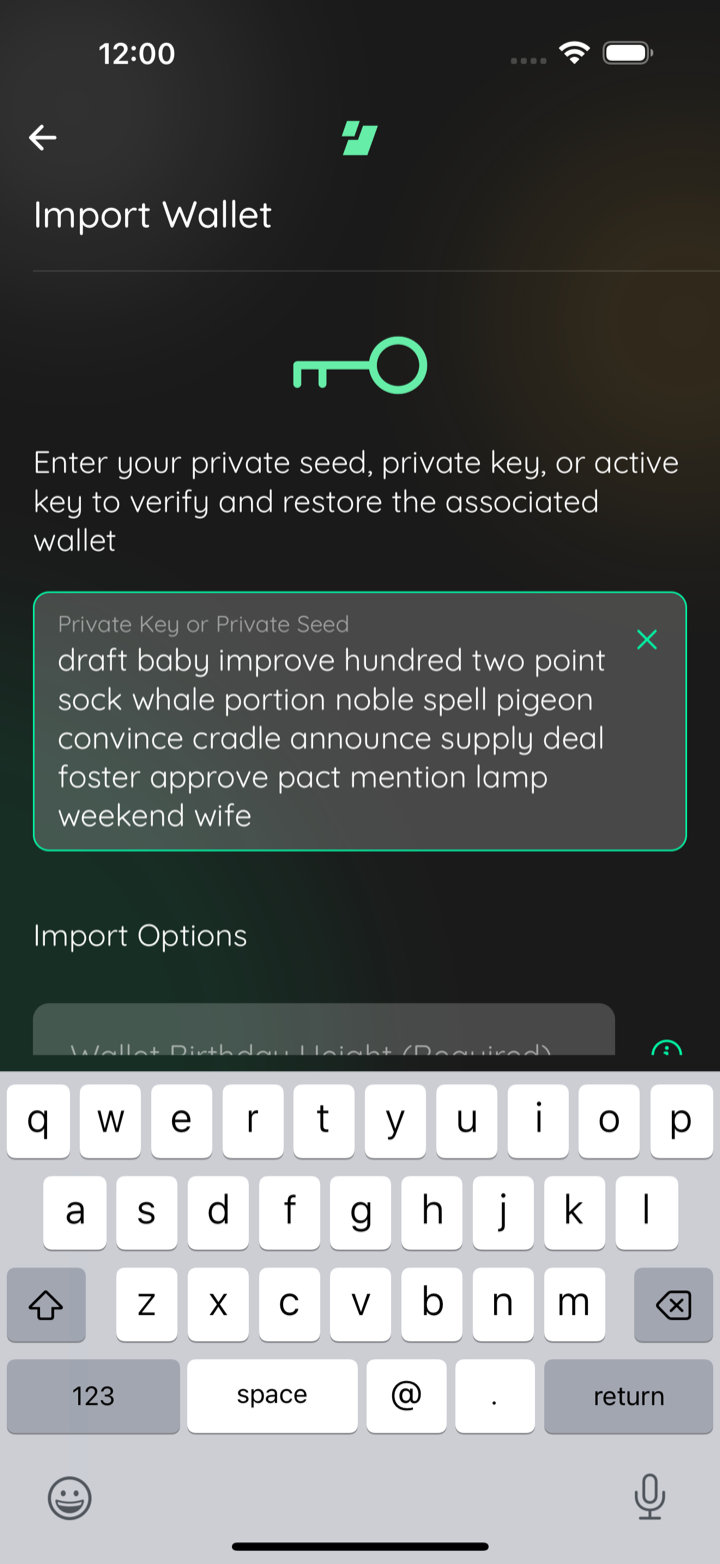
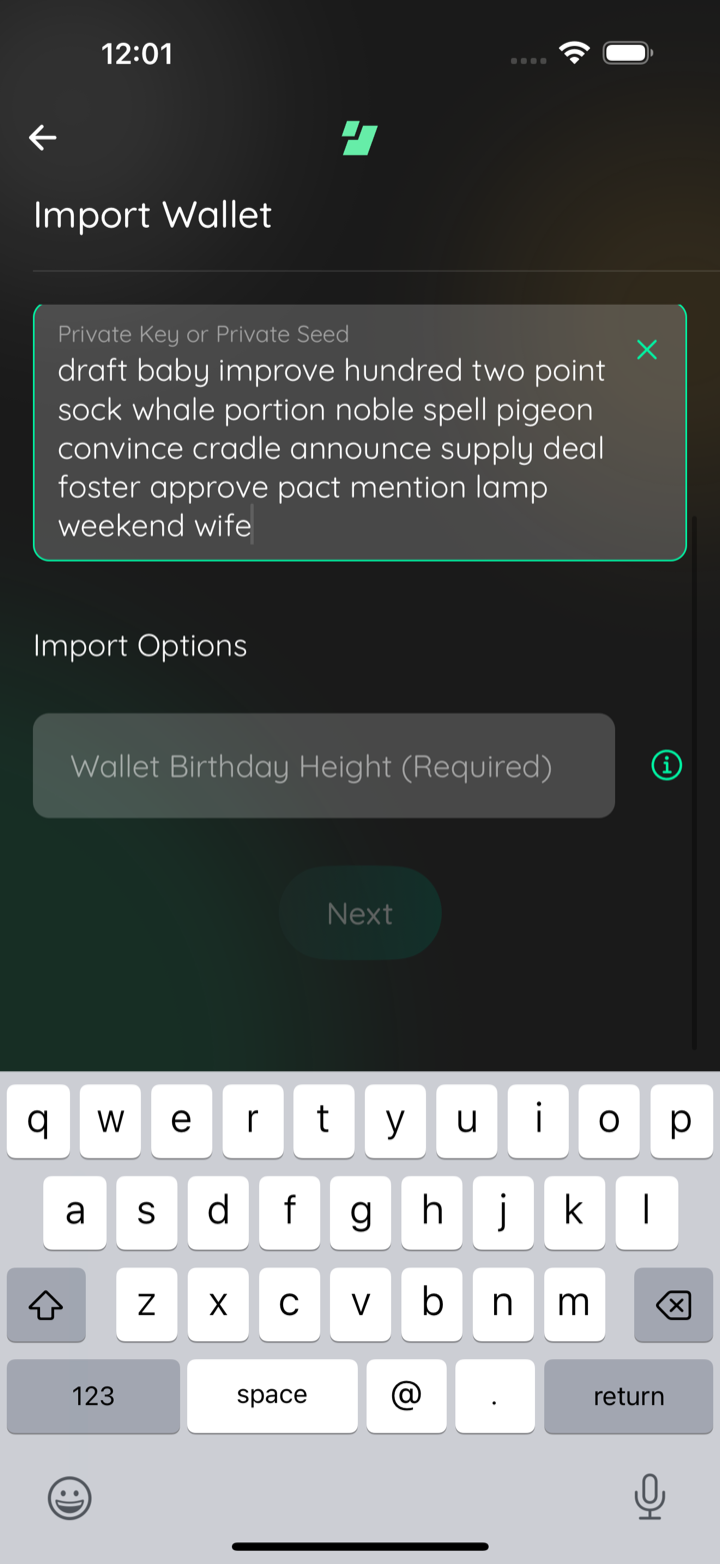
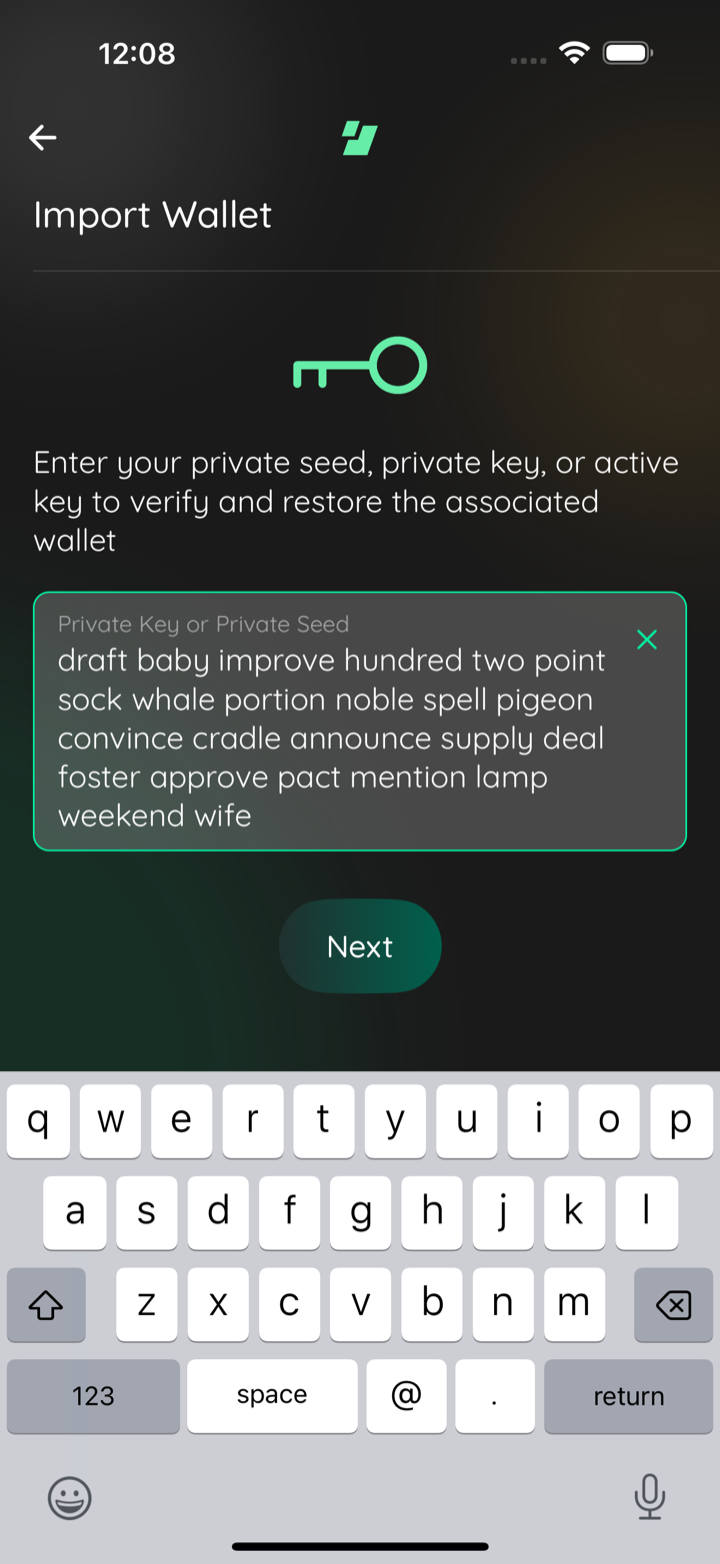
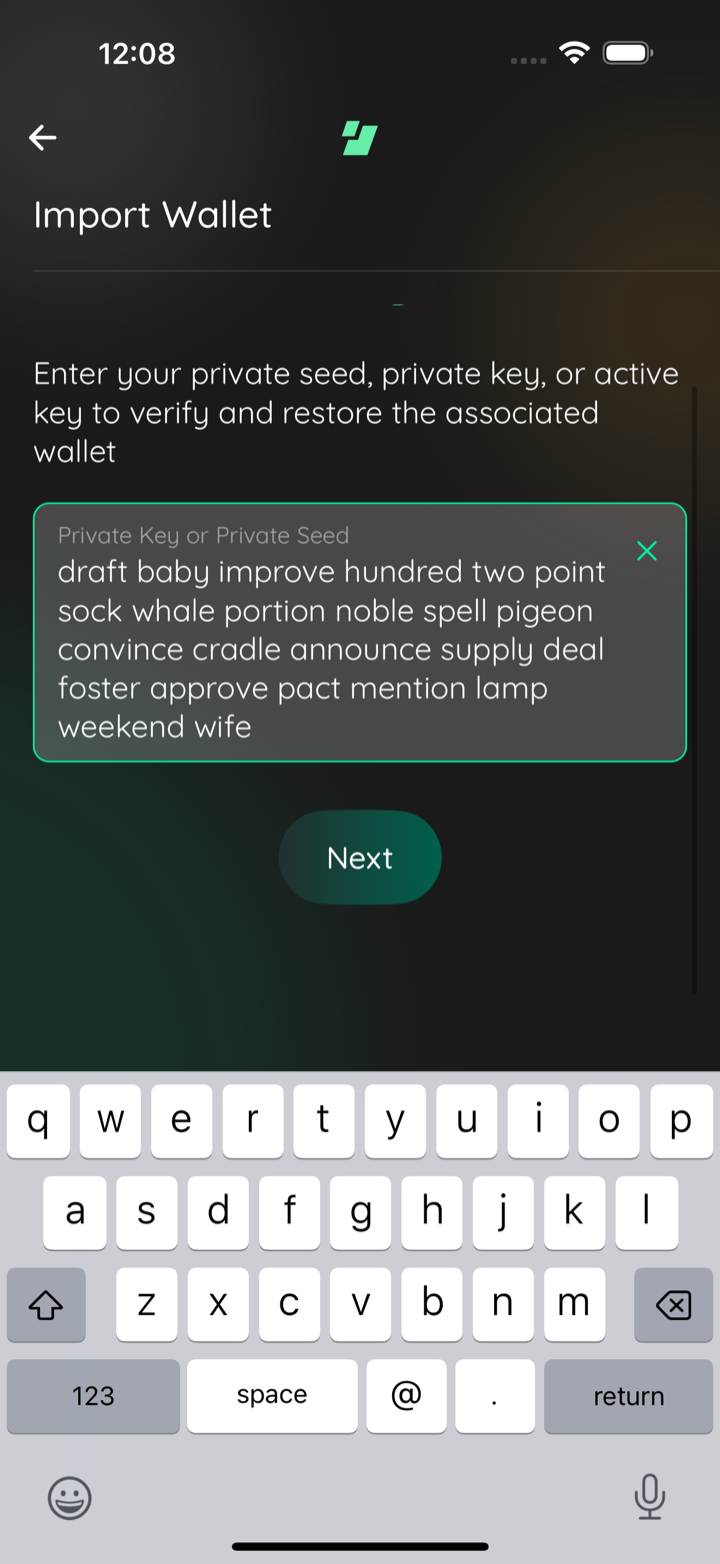
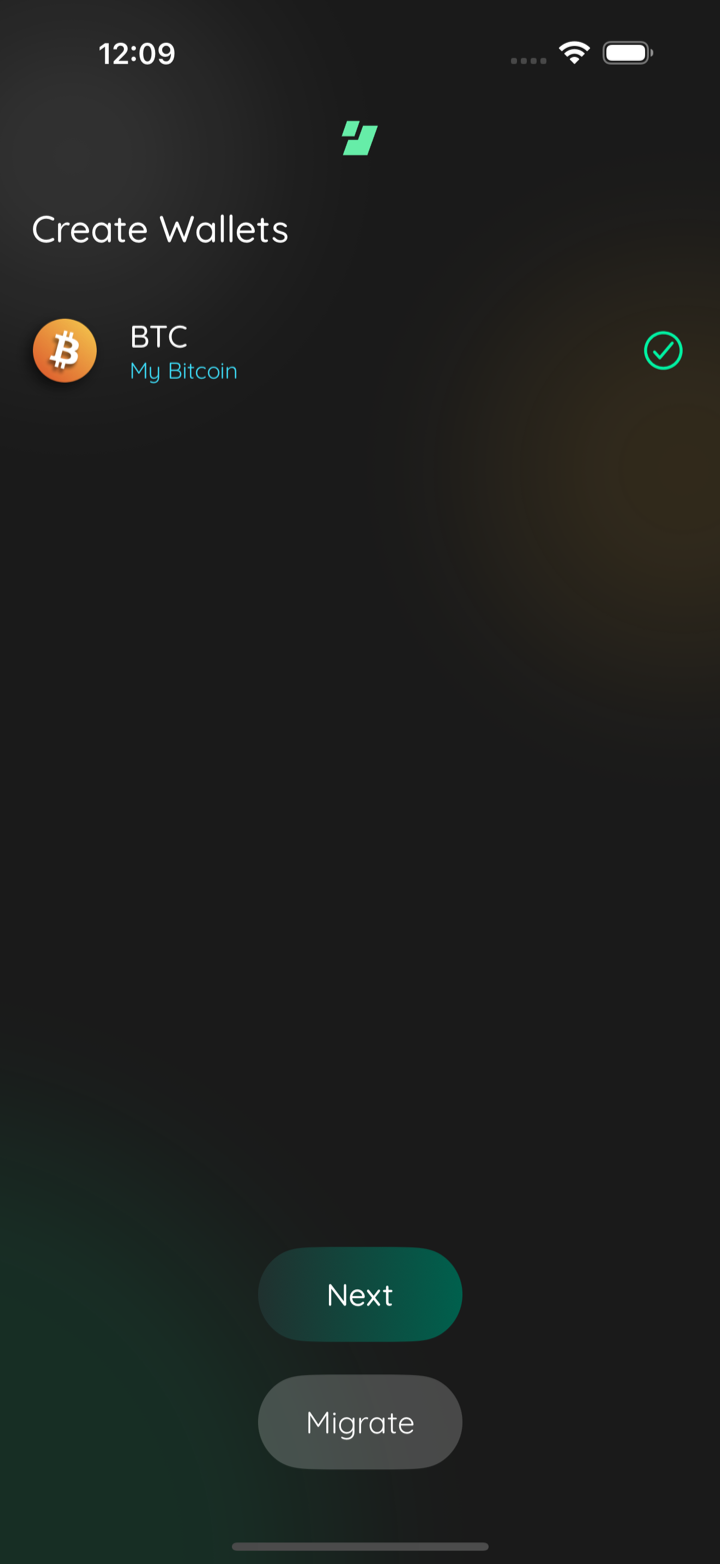
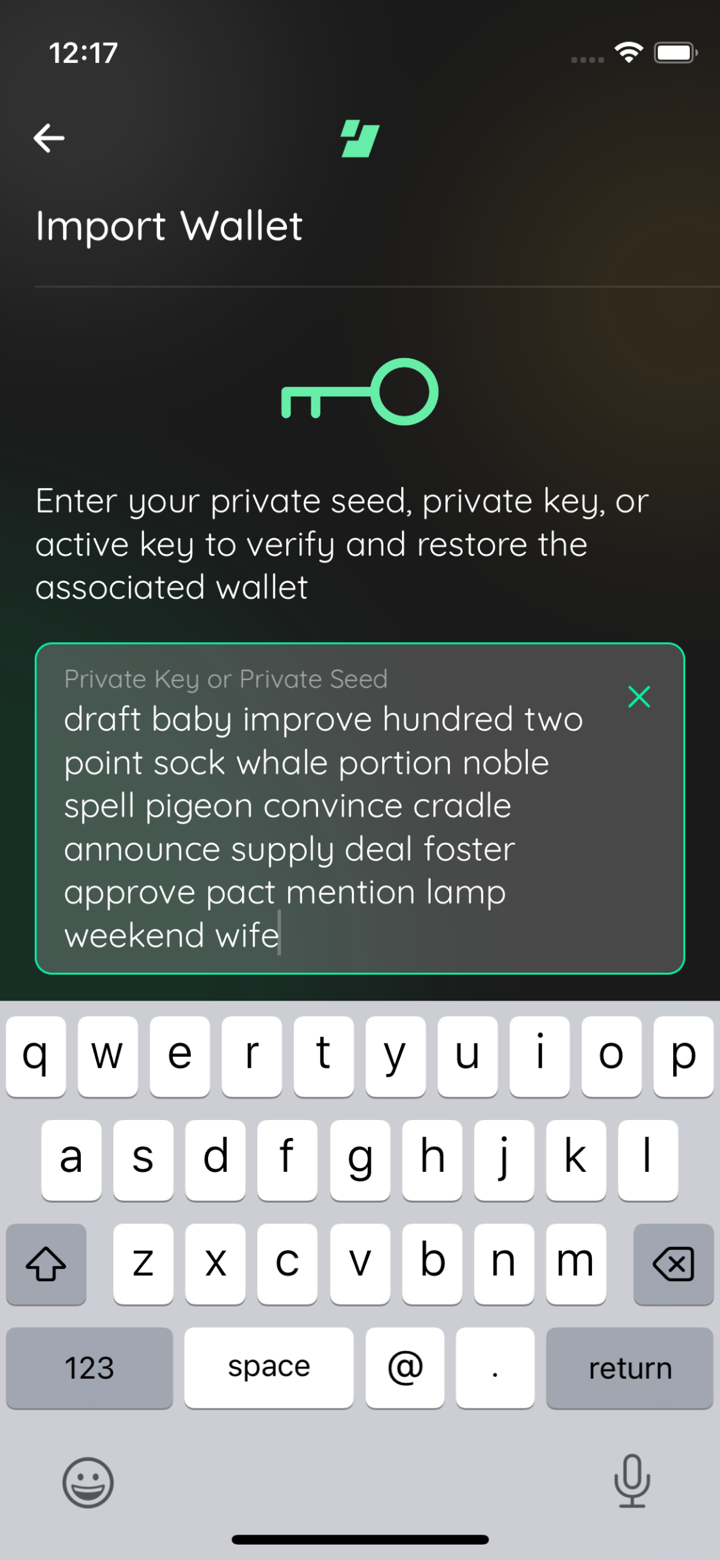
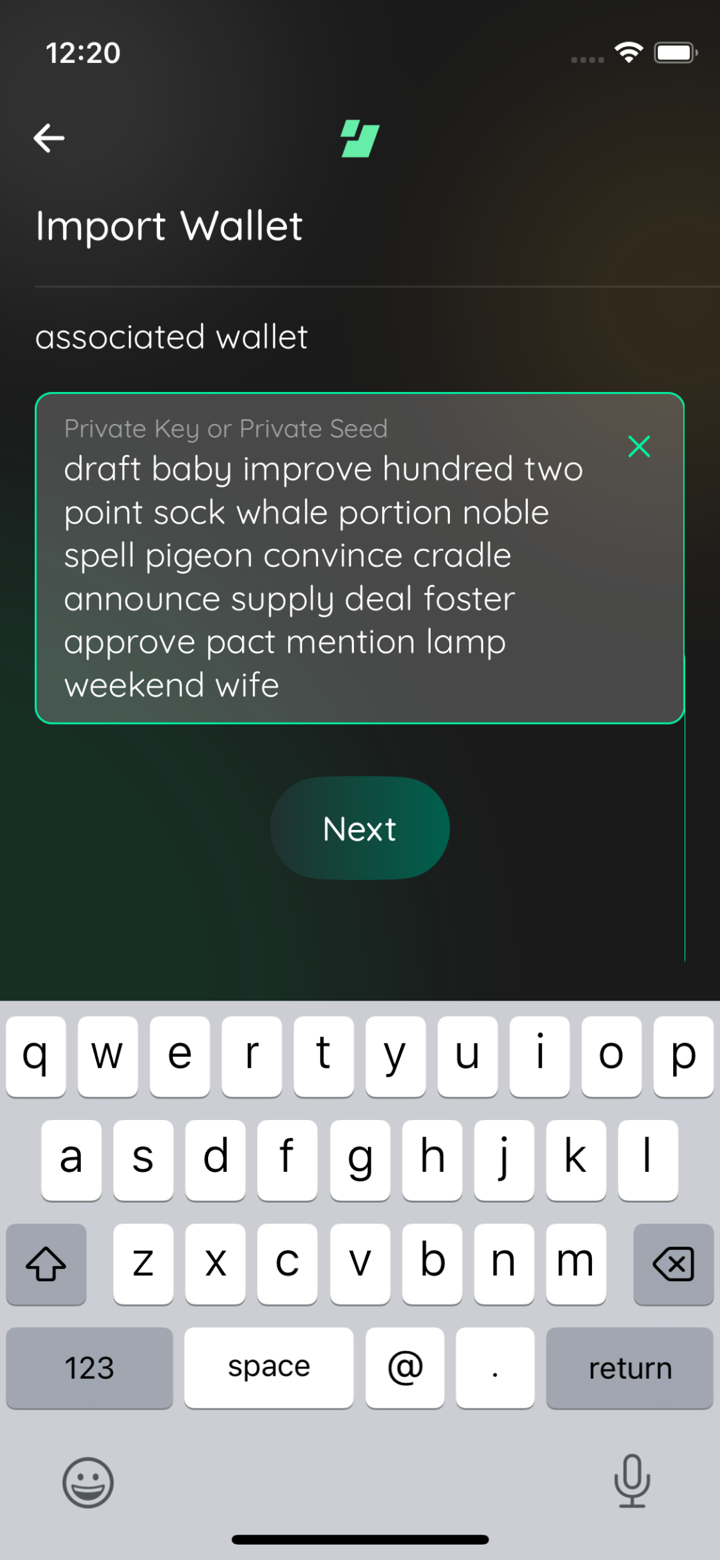
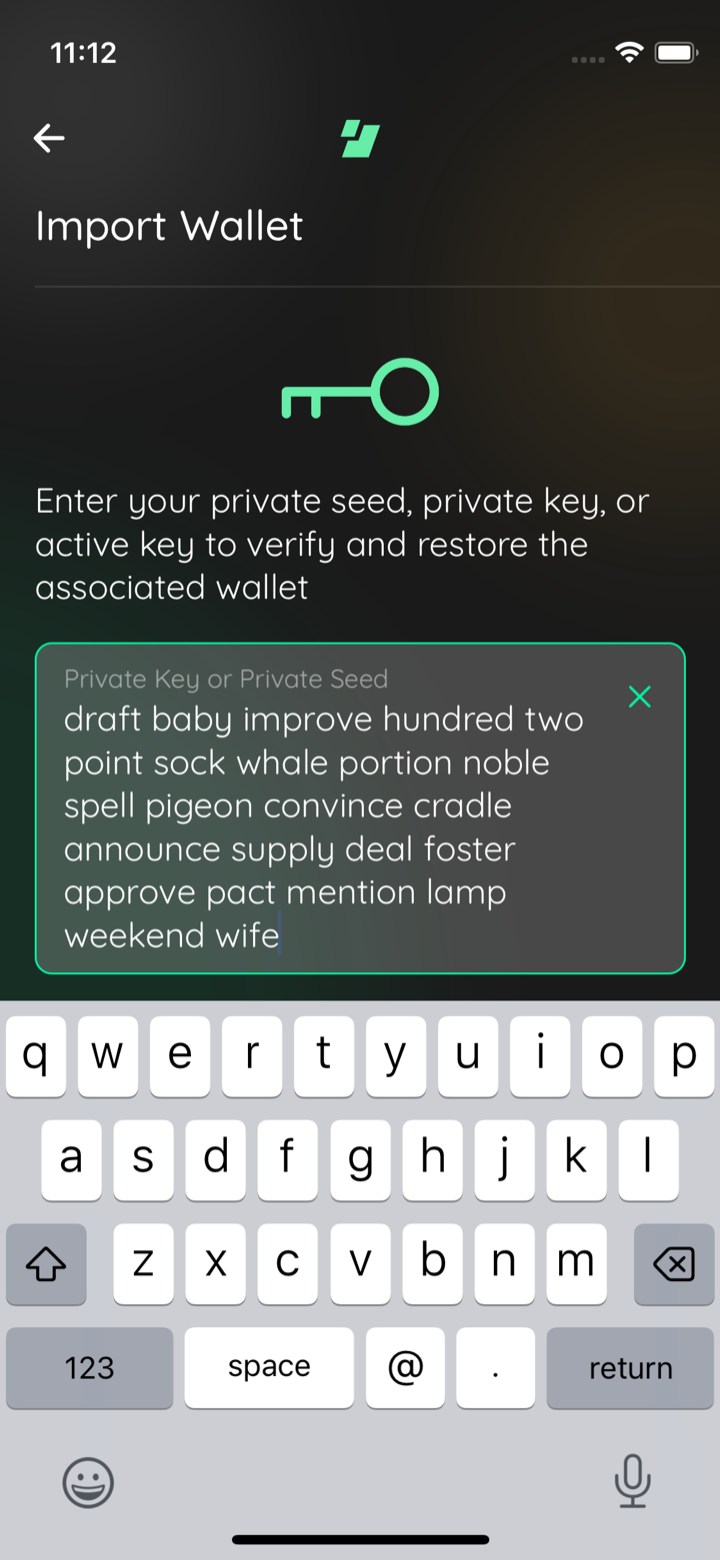
📸 Test evidence, iPhone 13 mini re-run (supersedes the earlier comment's mini frames)mini btc seed typed
mini btc next scrolled
Captured by the agent's in-app test run (build-and-test). |
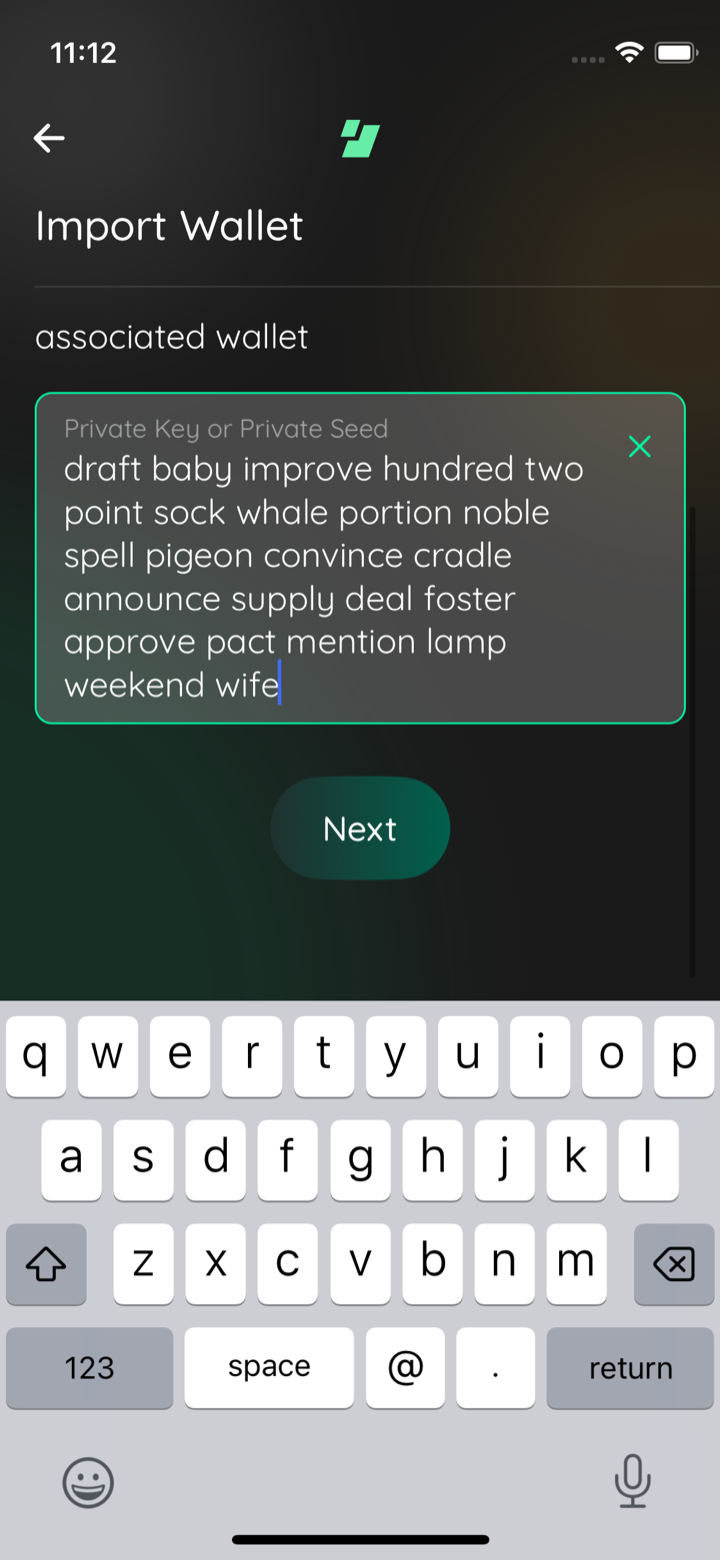
The scene rendered its content, including the Next button, inside a scroll
view that did not react to the keyboard, so opening the keyboard to type a
seed hid the button behind it. Shrink the scene to the space above the
keyboard, keep the button pinned below the scrolling content, and let the
key logo flex instead of holding a fixed 2 rem of margin.

Drop the keyboard-dismiss steps the maestro import flows needed to reach the
button.
dbf030c to
e1f444b
Compare
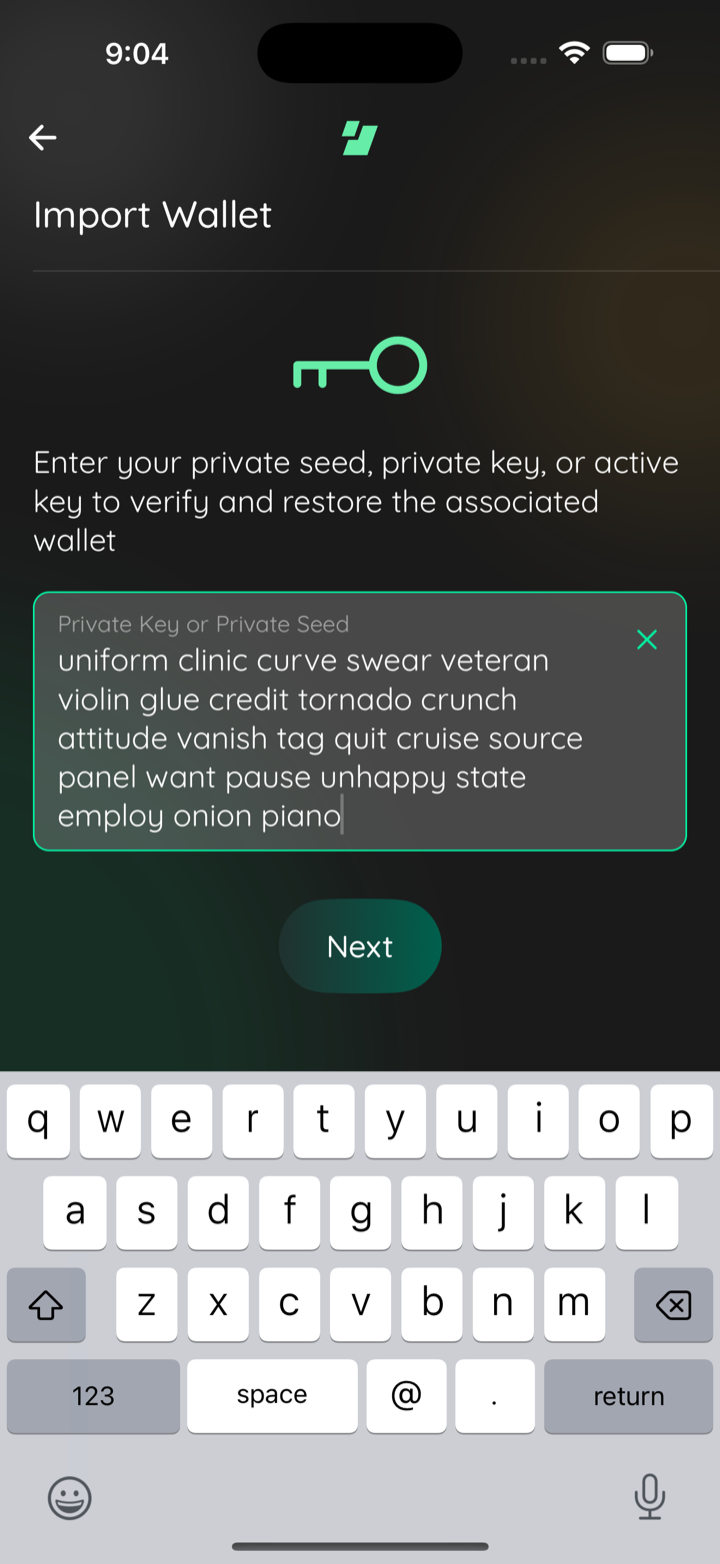
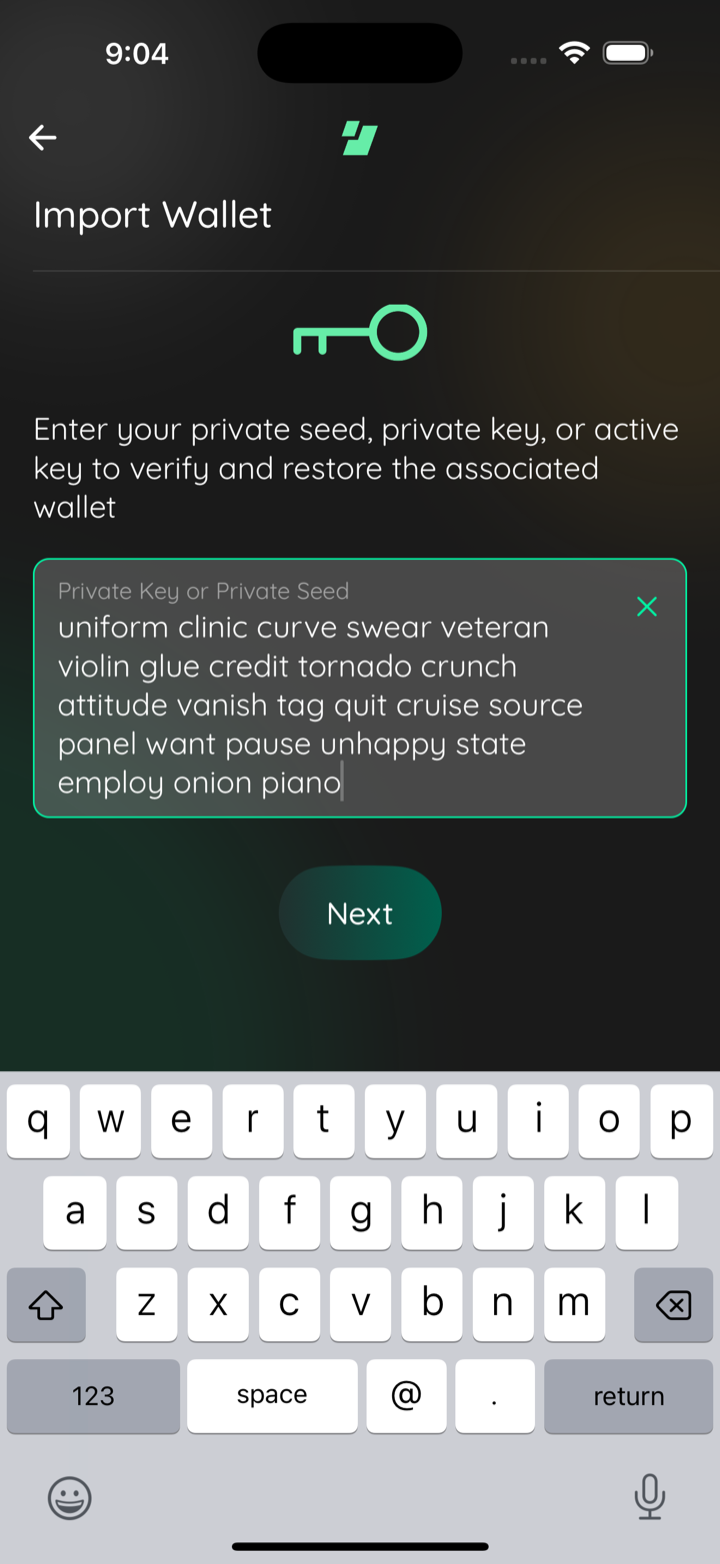
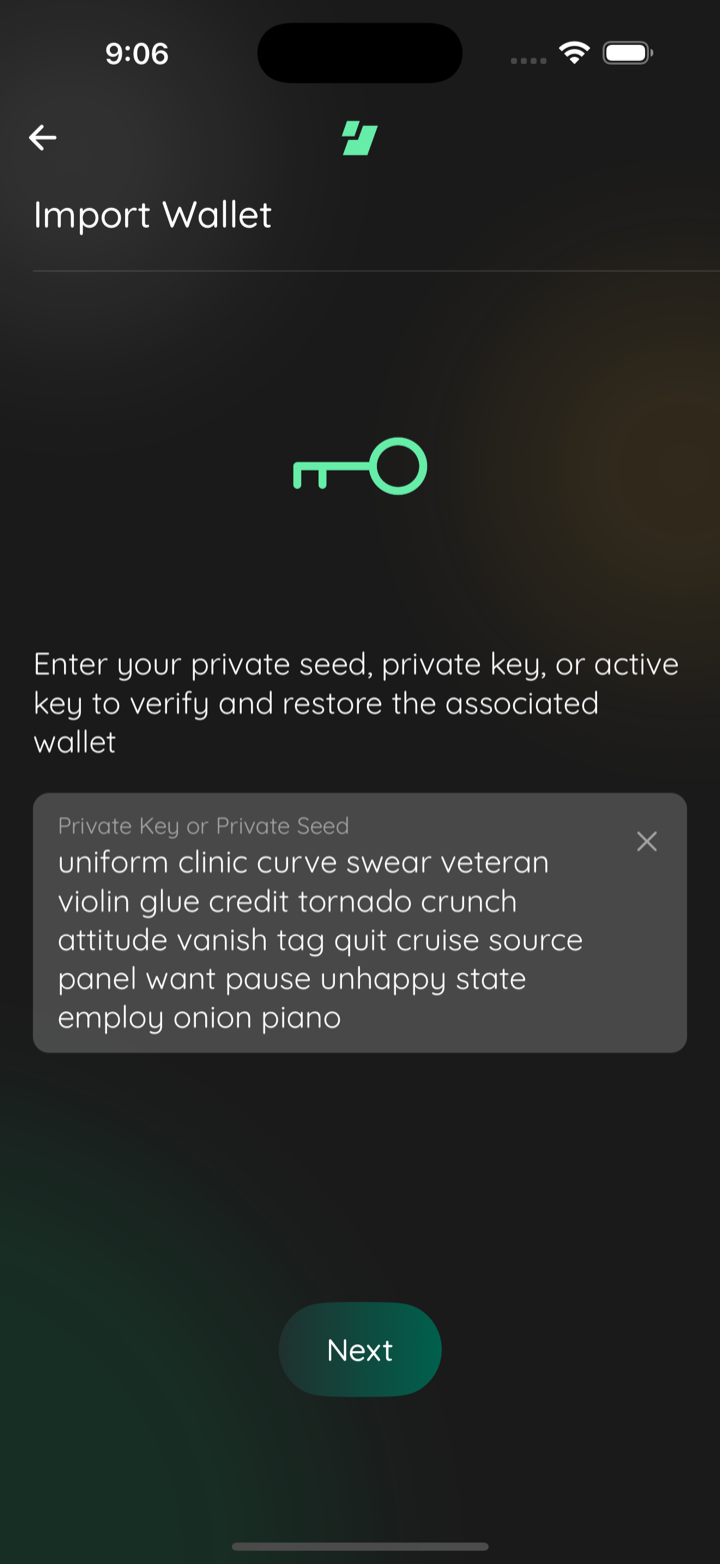
📸 Test evidence: gap between Next and the keyboard (iPhone 16 Pro Max, iOS 18.6)import keyboard open
scrolled to end
keyboard closed
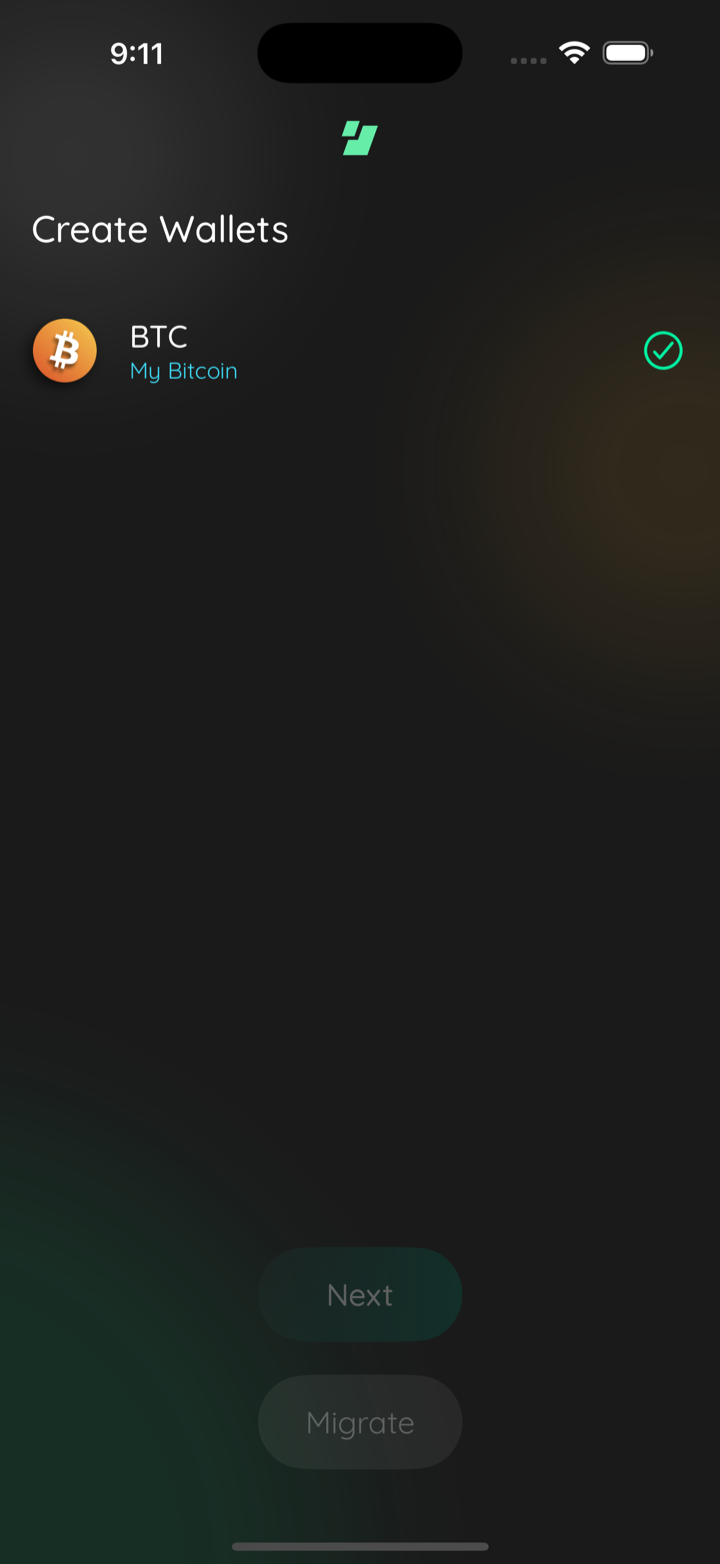
import success
Captured by the agent's in-app test run (build-and-test). |
1 participant

Description
Asana task
The Import Wallet scene rendered everything, including the Next button, inside a
scroll view that did not react to the keyboard. Opening the keyboard to type a
seed hid the button behind it, along with the per-asset Import Options inputs
(the Zcash / Pirate Chain birthday height). A wrapped 12- or 24-word phrase or a
short device made it worse.
The scene now shrinks to the space above the keyboard (
SceneWrapper avoidKeyboard, the pattern ~20 other scenes already use, backed byreact-native-keyboard-controller) and its content lives in a realScrollView. Because the keyboard is part of the layout, the scroll viewportends above it, so the bottom of the scene is reachable; on the unchanged build
the viewport's bottom edge sits underneath the keyboard and no amount of
scrolling reveals Next.
Three style relationships decide the rest of the layout:
SceneButtonslays itself out asflexGrow: 1+justifyContent: 'flex-end', which only means anything insidea flex-sized parent. A scroll content container is content-sized by default,
so that growth was being resolved against the scroll frame instead, and the
content kept the height it had before the keyboard shrank the scene. Measured
on an iPhone 16 Pro Max (440x956): the scroll viewport was 519pt tall and the
scroll extent was 820pt, so scrolling to the end left 301pt of empty space
between Next and the keyboard, exactly one keyboard height.
contentContainerStylewith
flexGrow: 1ties the content height to the content instead of to thekeyboard: the same measurement now reads a 479pt content in a 459pt viewport,
and the only space below the button is the 3 rem scene clearance
SceneButtonsitself defines.
the key logo's block is
flexGrow: 1/flexShrink: 0over amarginVerticalof 1 rem: it opens up when the scene has room to spare and closes back to the
1 rem minimum as the keyboard takes it away. This is what the task asked for,
and it works now that the content container is flex-sized.
FilledTextInputhardcodesflexGrow: 1/flexShrink: 1on its containers whenmultiline, so the seed box wouldshrink to whatever room the keyboard leaves rather than sizing to its text. A
plain non-shrinking
Viewaround the field in this scene stops that. No changeto
FilledTextInputitself, soTextInputModal'sfullHeightmultiline modeand
SignMessageScene'snumberOfLines={4}keep the fill behavior they want.SceneButtonsstays inside the scroll content rather than pinned as a sibling,so showing the whole word phrase still takes priority over Next being visible
without scrolling.
The maestro import flows used to dismiss the keyboard before tapping Next. That
workaround is gone on iOS in both copies (
maestro/common/import-wallets.yaml,maestro/07-wallets/C000029a-migrate-wallets.yaml): Next is now reachable andtappable with the keyboard up, which the evidence below shows. Android keeps its
hideKeyboardstep, since this pass did not exercise Android.Asana: https://app.asana.com/1/9976422036640/project/1213880789473005/task/1217525813318788
CHANGELOG
Does this branch warrant an entry to the CHANGELOG?
Dependencies
none
Requirements
If you have made any visual changes to the GUI. Make sure you have:
iOS, iPhone 16 Pro Max simulator: a real 24-word BIP39 phrase typed through the
keyboard, then Next tapped with the keyboard still up, driving the import
through to the Create Wallets completion scene ("BTC / My Bitcoin", green
check). Scrolling to the end of the scene with the keyboard up now lands the
button just above the keyboard instead of a keyboard-sized void. The latest
evidence comment carries those frames and supersedes the earlier ones.
Getting into the scene was scaffolded: this simulator would not deliver taps to
the Create Wallet scene's buttons, so a temporary uncommitted
useEffectinWalletListScenenavigated straight to Import Wallet. It was reverted beforecommitting (
git statusclean). Everything from the scene onward in thoseframes is the real app: real keyboard, real typing, real Next press, real
import.
iPhone 13 mini and the BTC + ZEC configuration were exercised on the earlier
revision of this branch, before the gap fix; their frames are in the older
evidence comment.
Android: not exercised in this pass. The change is shared JS and the manifest
already uses
adjustResize.