
Production-style insurance fraud detection — ML pipeline · REST API · Interactive Dashboard
XGBoost classifier · SHAP explainability · FastAPI inference · Streamlit UI · Docker Compose






InsureGuard AI is a full MLOps-style fraud scoring system built to mirror real production patterns. Submit a claim, get back a fraud probability, a risk band, SHAP-powered factor explanations, drift signals, and governance metadata — all over HTTP. End-to-end latency depends on hardware, SHAP settings, and cold start (e.g. first load after Docker boot).
It is intentionally end-to-end: raw Excel data → training pipeline → artifact bundle → FastAPI inference → Streamlit operator dashboard → Docker Compose deployment. Every layer is explicit and wired together.
Claim Fields (UI)
      │
      ▼
┌─────────────────────────────────────────┐
│           FastAPI  /predict             │
│                                         │
│  1. Pydantic validation                 │
│  2. Impute missing fields (defaults)    │
│  3. Drift detection  (3σ from train)    │
│  4. Feature encoding  (get_dummies)     │
│  5. XGBoost  predict_proba              │
│  6. SHAP  TreeExplainer                 │
│  7. Enrich  (confidence, latency, meta) │
│  8. Log  → predictions.jsonl            │
└────────────────────┬────────────────────┘
                     │
                     ▼
           JSON response  →  Streamlit UI
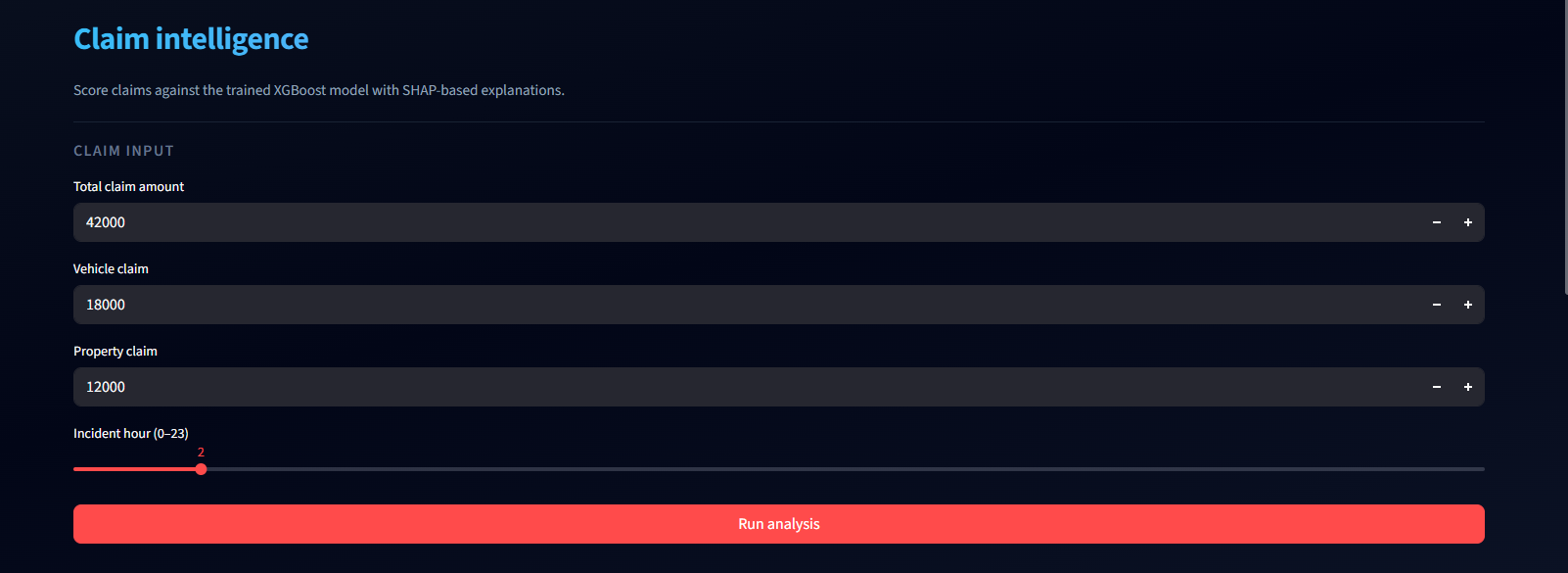
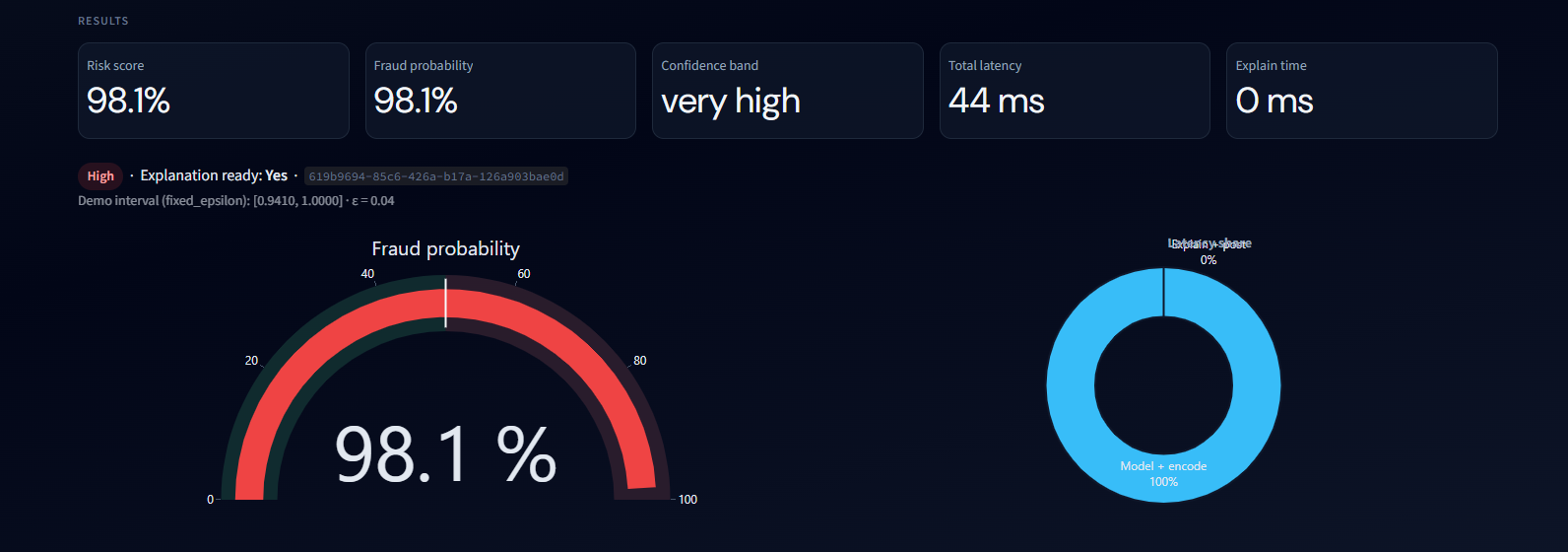
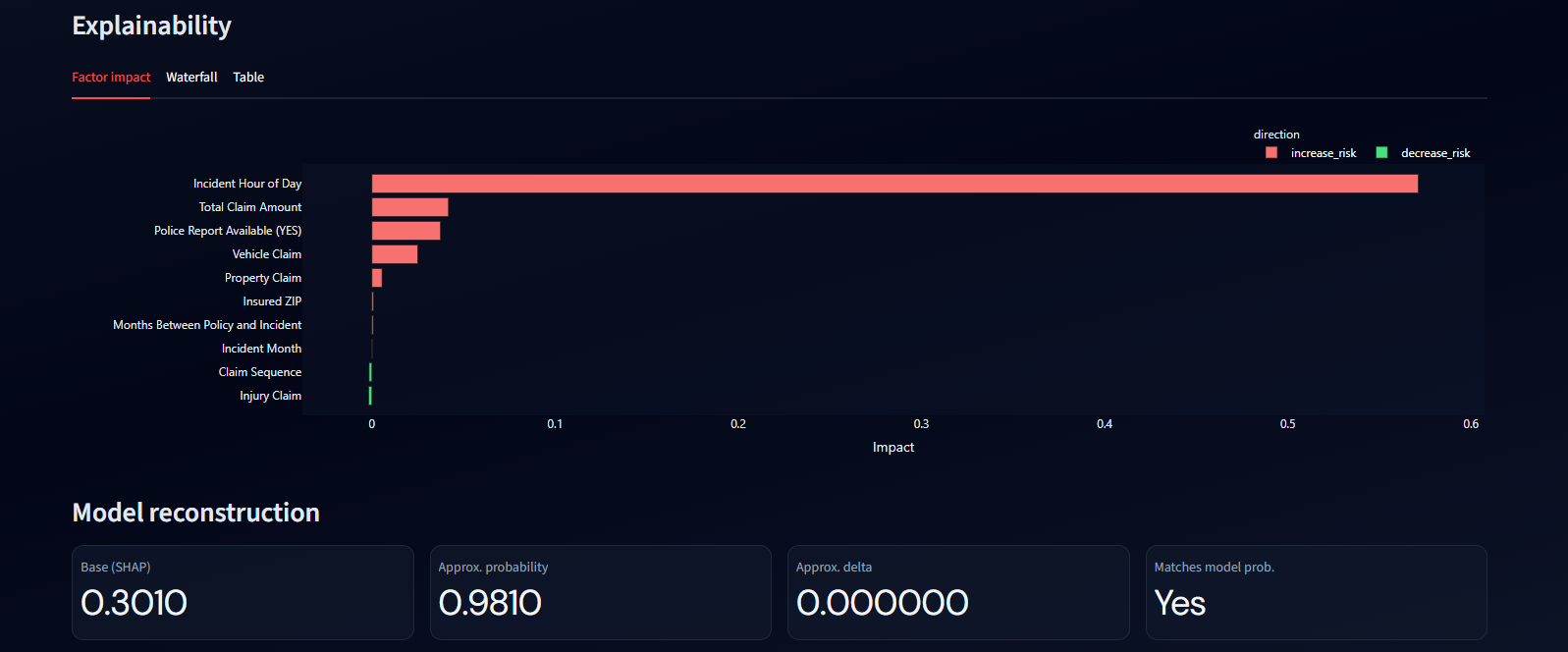
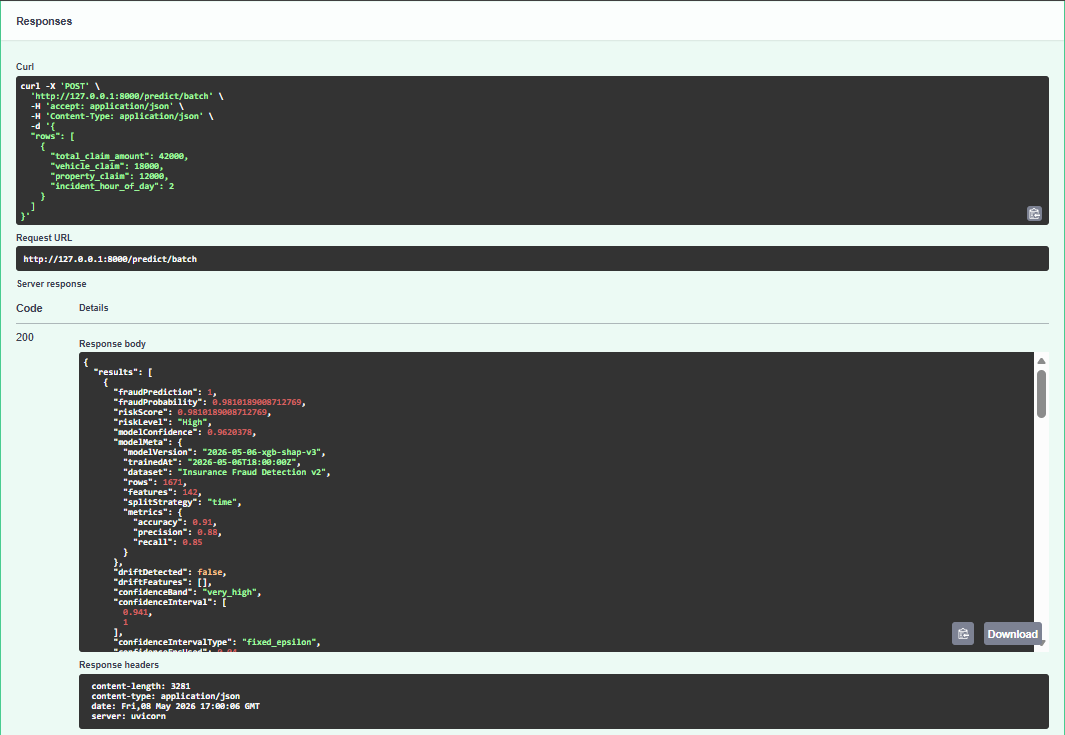
| Input | Risk Dashboard | SHAP Explanations | Batch Results | Health Monitor |
|---|---|---|---|---|
 |
 |
 |
 |
 |
| Claim fields entry form before scoring | Fraud probability gauge, risk band, and confidence score | Top contributing factors with SHAP probability-scale impacts | POST /predict/batch result (e.g. Swagger UI at /docs) |
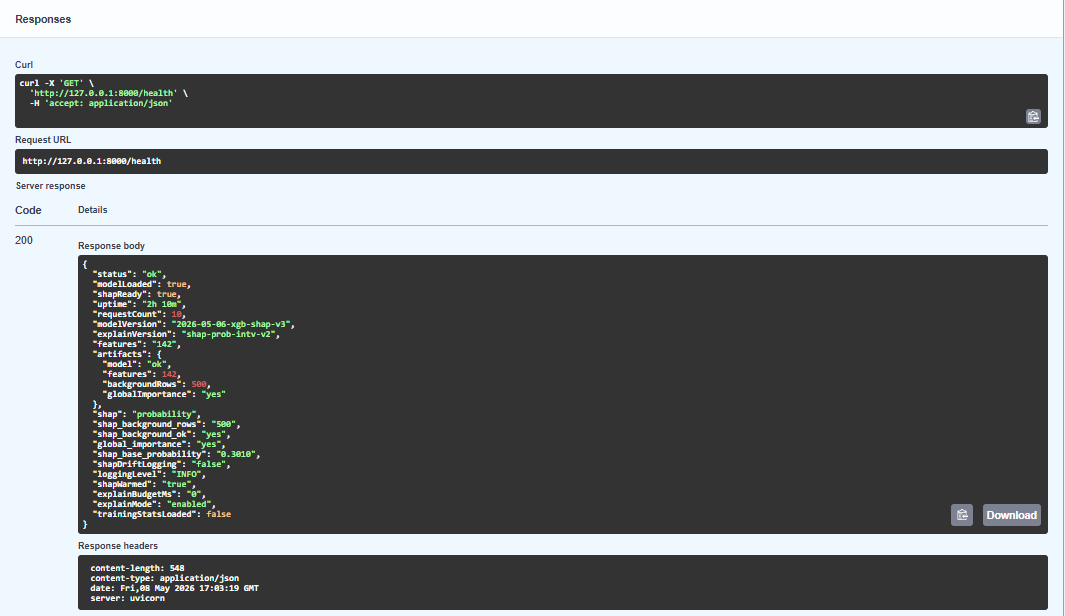
Browser view of GET /health |
Fraud scoring — XGBoost classifier trained on tabular claim data, returning class label + probability with a calibrated confidence band.
SHAP explainability — TreeExplainer runs when explanations are enabled (not disabled by budget / env), surfacing top factors with probability-scale impacts. Budget controls and graceful fallback handle edge cases.
Drift detection — each numeric input is compared against training distribution statistics (mean/σ). Out-of-distribution values are flagged in the response without blocking scoring.
Governance metadata — every response carries modelMeta (version, dataset name, metrics, split strategy) read from model_registry.json. Every successful prediction is appended to logs/predictions.jsonl as an immutable audit trail.
Operational signals — /metrics exposes request counts, error rates, and per-path average latency tracked in memory. /health reports model and explainer readiness.
Batch endpoint — /predict/batch accepts arrays of claims with the same semantics as the single endpoint.
One-command stack — docker-compose up builds and starts the API and dashboard with a health-check dependency so the UI never starts before the model is loaded.
| Layer | Technology | Responsibility |
|---|---|---|
| Training pipeline | Python · scikit-learn · XGBoost | Clean, split, encode, fit, write artifact bundle |
| Artifact store | Local filesystem (artifacts/) |
Single source of truth for the API — no duplication |
| Inference API | FastAPI · Uvicorn | Validation, encoding, scoring, SHAP, logging, metrics |
| Explainability | SHAP TreeExplainer |
Per-prediction factor attribution at probability scale |
| Dashboard | Streamlit | Operator UI — forms, charts, session-persisted results |
| Deployment | Docker Compose | Two-service stack with health-check startup ordering |
| Optional | ASP.NET Core | Experimental polyglot API track (not required for demo) |
All runtime model material lives in ml-service-python/artifacts/ (override with INSUREGUARD_ARTIFACT_DIR):
| File | Purpose |
|---|---|
fraud_model.pkl |
Trained XGBClassifier |
model_features.pkl |
Ordered one-hot encoded column names (model input schema) |
raw_feature_columns.pkl |
Raw columns before encoding |
raw_feature_defaults.pkl |
Imputation defaults for missing fields |
shap_background.parquet |
SHAP background rows (fallback if missing) |
global_importance.pkl |
Global feature importances for display |
training_stats.json |
Per-feature mean/σ from training (used for drift) |
model_registry.json |
Governance metadata returned as modelMeta |
Score a single claim. Returns fraud probability, risk band, SHAP factors, drift signals, and governance metadata.
// Request (extra raw fields are allowed; unknown keys are ignored at encode time)
{
  "total_claim_amount": 18500,
  "vehicle_claim": 12000,
  "property_claim": 6500,
  "incident_hour_of_day": 14
}

// Response (abbreviated — see live /docs schema for full contract)
{
  "fraudPrediction": 1,
  "fraudProbability": 0.847,
  "riskScore": 0.847,
  "riskLevel": "High",
  "modelConfidence": 0.694,
  "explanationStatus": "ok",
  "topFactors": [
    { "feature": "Total Claim Amount", "impact": 0.12, "direction": "increase_risk" }
  ],
  "driftDetected": false,
  "driftFeatures": [],
  "latency": { "totalMs": 87, "modelMs": 12, "explainMs": 61 },
  "latencyMs": 87,
  "modelMeta": {
    "modelVersion": "2026-05-06-xgb-shap-v3",
    "dataset": "Insurance Fraud Detection v2",
    "metrics": { "accuracy": 0.91, "precision": 0.88, "recall": 0.85 }
  },
  "requestId": "…"
}| Method | Path | Description |
|---|---|---|
POST |
/predict/batch |
Score multiple claims in one call |
GET |
/health |
Liveness + model/SHAP readiness + uptime |
GET |
/metrics |
Request counts, error rates, average latencies |
GET |
/feature-importance |
Global feature importance rankings |
- Python 3.11+
- Docker & Docker Compose
- An Excel dataset (see Data pipeline)
git clone https://github.com/yourusername/InsureGuard-AI.git
cd InsureGuard-AIPlace your dataset at data-pipeline/data/insurance_fraud_dataset.xlsx (sheet: Claims_Full), then:
cd data-pipeline
pip install -r requirements.txt
python train_model.py
# → writes all artifacts to ../ml-service-python/artifacts/docker-compose up --build| Service | URL |
|---|---|
| FastAPI docs | http://localhost:8000/docs |
| Streamlit UI | http://localhost:8501 |
# API
cd ml-service-python
pip install -r requirements.txt
uvicorn main:app --reload

# Dashboard (separate terminal)
cd dashboard
pip install -r requirements.txt
streamlit run app.pydata-pipeline/train_model.py converts labeled Excel claims into a deployable artifact bundle.
insurance_fraud_dataset.xlsx  (sheet: Claims_Full)
          │
          ▼
    Label cleaning + validation
          │
          ▼
    Train / test split  (time-based or group-aware)
          │
          ▼
    Imputation  →  get_dummies  →  schema alignment
          │
          ▼
    XGBoost fit  +  metrics printout
          │
          ▼
    Write artifacts/  ←  single output directory
          │
          ├── fraud_model.pkl
          ├── model_features.pkl
          ├── shap_background.parquet
          ├── training_stats.json
          └── model_registry.json
The training script writes only to ml-service-python/artifacts/ — no duplicates, no ambiguity about which files the API loads.
InsureGuard-AI/
│
├── ml-service-python/           # Inference API (heart of the system)
│   ├── main.py                  # FastAPI app, all endpoints
│   ├── artifacts/               # Model bundle (pkls, parquet, registry, training_stats — often committed for demos)
│   ├── logs/
│   │   └── predictions.jsonl    # Append-only audit log (gitignored *.jsonl)
│   └── tests/
│       ├── conftest.py
│       ├── test_health.py
│       ├── test_predict.py
│       └── test_encoding.py
│
├── dashboard/                   # Streamlit operator UI
│   └── app.py
│
├── data-pipeline/               # Offline training — not shipped in API container
│   ├── train_model.py
│   ├── requirements.txt
│   └── data/                    # place Excel here; large files gitignored
│       └── insurance_fraud_dataset.xlsx
│
├── InsureGuard.Api/             # Optional .NET Web API skeleton
│
├── docker-compose.yml           # Two-service stack with health-check ordering
├── .env.example                 # INSUREGUARD_API_URL, ARTIFACT_DIR, etc.
└── LICENSE
Copy .env.example to .env and adjust as needed:
| Variable | Default | Description |
|---|---|---|
INSUREGUARD_API_URL |
http://127.0.0.1:8000/predict |
Full predict URL for the Streamlit app |
INSUREGUARD_HEALTH_URL |
http://127.0.0.1:8000/health |
Health URL for the sidebar check / Compose |
INSUREGUARD_ARTIFACT_DIR |
(unset) | Absolute path to artifact dir; default is ml-service-python/artifacts |
cd ml-service-python
pip install -r requirements.txt -r requirements-dev.txt
pytest tests/ -v
Tests cover the health endpoint, a full predict round-trip, feature encoding, and drift detection helpers. Tests auto-skip if artifacts/fraud_model.pkl is absent (fresh clone before training).
| Track | Stack | Status |
|---|---|---|
| Python demo (primary) | FastAPI + Streamlit + Docker | ✅ Full end-to-end |
| .NET experimental | ASP.NET Core Web API | 🔧 Skeleton — not wired to model |
- Replace in-memory metrics with Prometheus + Grafana sidecar
- Add retraining trigger on configurable drift threshold
- Expand model registry with experiment tracking (MLflow)
- REST-based model swap without container restart
- CI/CD pipeline with automated retraining on new data
- Multi-model support — route by claim type
Sofiane Taleb — AI Student, University of Oran 1